How to Humanize AI Text in 2026: 3 Methods, Tested
How to humanize AI text so it reads naturally and passes detectors. We tested ChatGPT prompts (99.9% AI on Sapling) vs an AI humanizer (0.0% AI). Steps inside.
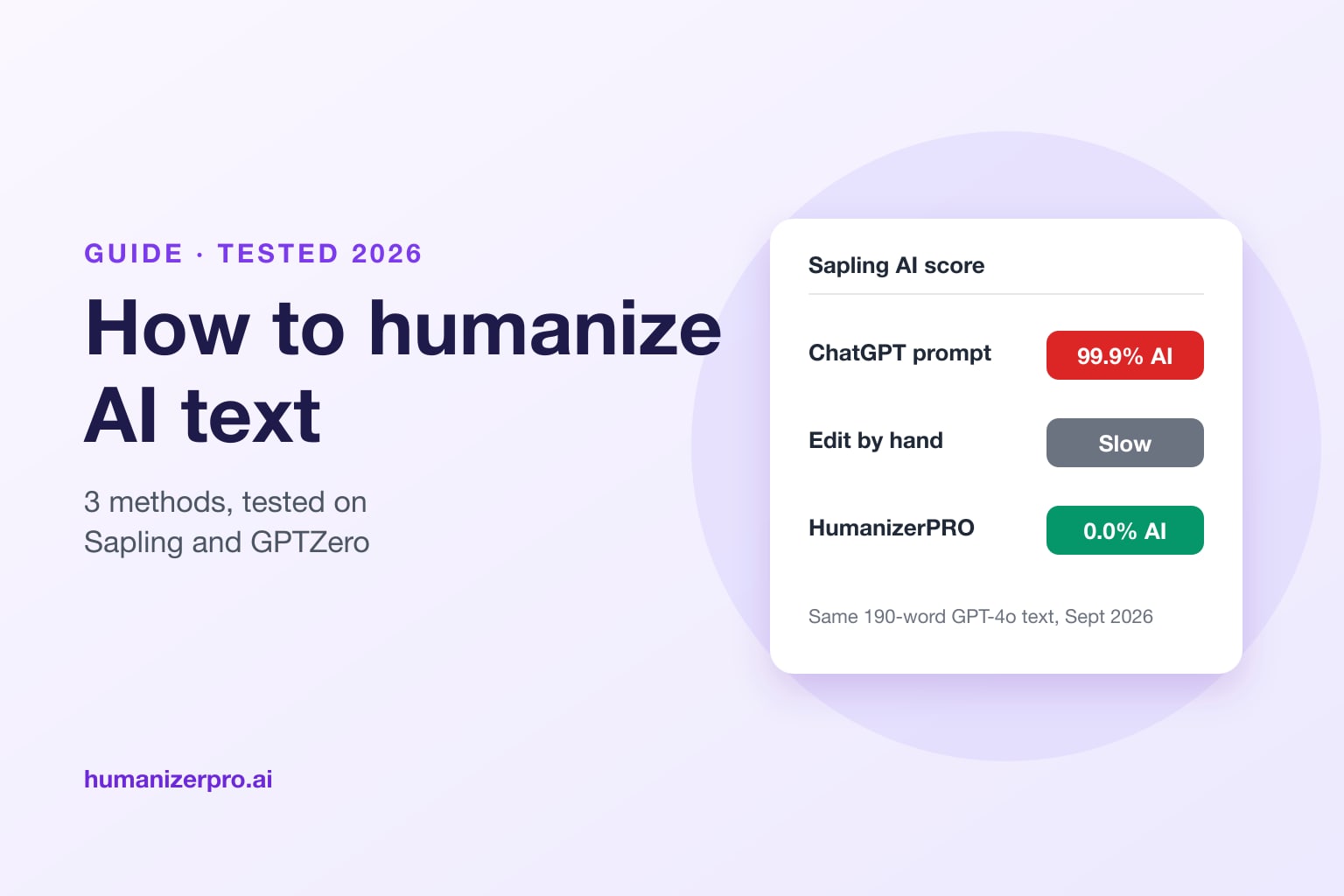
To humanize AI text, run it through a dedicated AI humanizer such as HumanizerPRO, then read the result, fix anything that doesn't sound like you, and check it with an AI detector. Asking ChatGPT to "sound more human" doesn't work well: in the HumanizerPRO team's September 2026 test, that rewrite still scored 99.9% AI on Sapling and 100% AI on GPTZero. HumanizerPRO's Advanced mode turned the same text into writing that scored 0.0% AI on Sapling and 0% AI on GPTZero's Advanced Scan. Editing by hand also works, but it takes much longer.
Key takeaways
- Humanizing AI text means rewriting it so it reads like a person wrote it: varied sentences, natural word choices and a real point of view.
- Prompting ChatGPT to "sound human" failed in our test: 99.9% AI on Sapling and 100% AI on GPTZero's Basic Scan.
- An AI humanizer did much better on the same text: HumanizerPRO scored 0.0% AI on Sapling and 0% AI on GPTZero's Advanced Scan.
- Always review the output: fix facts, trim anything off-topic and add your own examples.
- HumanizerPRO lets you humanize 500 words free without an account, then check the result with its free AI detector.
What does it mean to humanize AI text?
Humanizing AI text means rewriting content from ChatGPT, Claude, Gemini or another AI writer so it reads like a person wrote it. AI text tends to be predictable: sentences of similar length, safe word choices, stock phrases like "in today's fast-paced world" and a smooth, even rhythm. AI detectors look for exactly these patterns, which they measure as low perplexity and low burstiness (see perplexity and burstiness explained).
A good humanized text keeps the meaning and facts of the original, but changes the rhythm, structure and wording. For a deeper look at how it works, read what is AI humanization?
Three ways to humanize AI text, tested
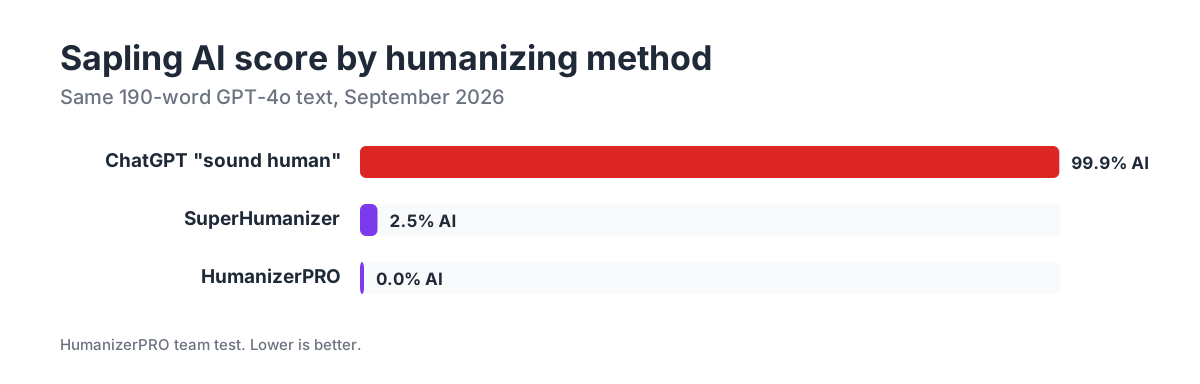
There are three common ways to make AI-generated writing feel more human: let the AI rewrite itself, edit it by hand, or use an AI humanizer. In September 2026, the HumanizerPRO team tested the first and third methods on a short, 190-word GPT-4o post about a new blood test for biological age.
| Method | Sapling | GPTZero | ZeroGPT | Time |
|---|---|---|---|---|
| Ask ChatGPT to "sound human" | 99.9% AI | 100% AI (Basic Scan) | 28.4% AI | Seconds |
| HumanizerPRO, Advanced mode | 0.0% AI | 0% AI (Advanced Scan) | Not checked | Seconds |
| SuperHumanizer, Super Ultra | 2.5% AI | 1% AI (Advanced Scan, second run) | 0% AI (second run) | Seconds |
| Edit by hand | Depends on the edit | Depends on the edit | Depends on the edit | 20 to 60 minutes for a short article |
Method 1: Ask ChatGPT to make it sound human
This is the first thing most people try. We gave GPT-4o a typical prompt: "Rewrite this text so it sounds like a human wrote it and can't be detected by AI detectors. Vary sentence length, use a natural, conversational tone, and avoid typical AI phrases."
It didn't work. The rewrite added casual words like "folks" and "ticking along" but kept exactly the same structure, the same em dashes and the same even pacing. Sapling rated it 99.9% AI, GPTZero's Basic Scan rated it 100% AI, and even ZeroGPT, the most lenient detector we use, gave it 28.4% AI.
The logic is simple: a language model asked to rewrite text writes in the same formulaic ways that detectors look for. A different prompt isn't going to change that.
Method 2: Edit it by hand
Editing by hand is the best way to make text sound like you, because only you can add real-world examples, your own perspective and knowledge of your reader. It's also slower: you'll likely spend 20 to 60 minutes on a short article, depending on how much you change.
When you edit by hand, focus on:
- Vary sentence length. Mix short, punchy sentences with longer ones.
- Cut stock phrases. Delete "in today's world", "it's important to note", "delve into", "a testament to" and similar filler.
- Add specifics. Replace general claims with numbers, names, dates and your own examples.
- Use your voice. Write the way you'd explain it to a colleague, including contractions and opinions.
- Change the structure. AI loves a neat intro, three points and a summary. Reorder, merge or split sections.
For more signs to look for, see our guide on how to tell if text is AI-generated.
Method 3: Use an AI humanizer
An AI humanizer is a tool built specifically to rewrite AI text so it reads naturally and passes AI detectors. Unlike ChatGPT, a good humanizer is trained on human writing and changes the rhythm and structure, not just the words. It's also different from a paraphrasing tool, which mostly swaps synonyms (see AI humanizers vs. paraphrasing tools).
In our test, HumanizerPRO's Advanced mode turned the same GPT-4o text into writing that GPTZero's Advanced Scan was "highly confident" was entirely human (0% AI) and that Sapling rated 0.0% AI. Crucial details, like the "hundreds of proteins" the test measures and the role of diet and exercise, were all still there.
Not every humanizer works this well. In our reviews, several tools failed the same detectors, including Grubby AI, JustDone and Humanize AI (see HumanizerPRO vs. Humanize AI). For a ranked list, see the best AI humanizers.
How to humanize AI text with HumanizerPRO, step by step
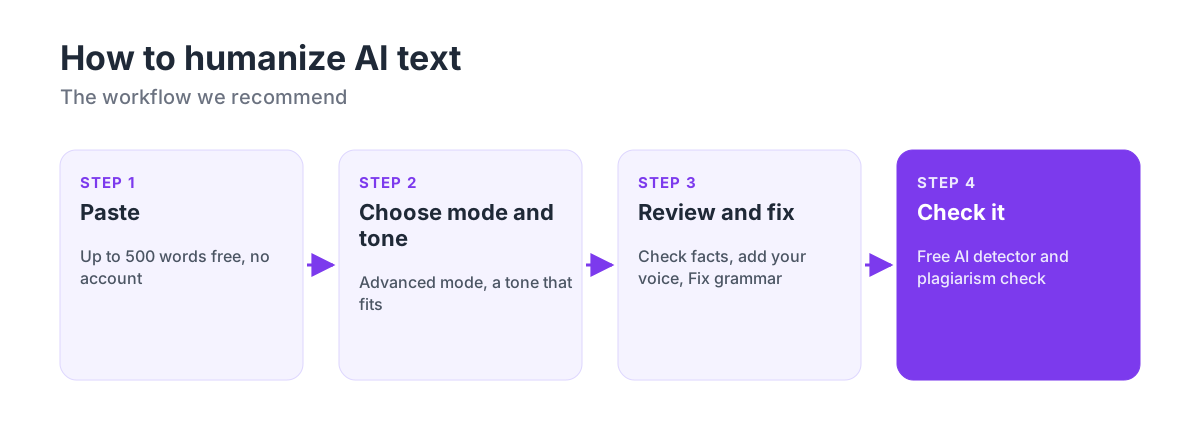
- Paste your text. Go to humanizerpro.ai and paste up to 500 words. You don't need an account.
- Choose a mode and tone. Advanced mode rewrites most deeply. Pick a tone that fits your piece, such as Academic, Business, Blog or General. All modes and tones are free.
- Review the output. Read it once. Check names, numbers and claims against your original, trim anything that doesn't fit, and add a detail or example of your own. Use the Fix grammar button to clean up any spelling or grammar slips in one click.
- Check it. Run the result through HumanizerPRO's free AI detector and, for important work, the plagiarism checker. If a section still reads as AI, click that sentence to see alternatives or humanize it again.
Try it free: Humanize your AI text with HumanizerPRO. There's no sign-up for your first 500 words, and the AI detector and Fix grammar button are free.
Tips for better results
- Humanize in sections. For long documents, humanize a few paragraphs at a time so you can review each part properly.
- Start from a good draft. A humanizer improves how text reads, but it can't fix weak arguments or missing research.
- Keep your facts straight. Any rewrite can change a detail. Our AI fact-checking guide shows how to check claims quickly.
- Try a second run. Results vary. In our tests, a second SuperHumanizer run of the same text scored 99% human on GPTZero's Advanced Scan.
- Use the free option for volume. SuperHumanizer, our sister tool, is free with no sign-up and 1,200 words per run.
Is it OK to humanize AI text?
It depends on where you use it. Humanizing AI text is common and accepted for blog posts, marketing copy, emails and business writing, and Google doesn't penalize AI content as long as it's helpful. Schools and some publishers have their own rules about AI use, so check them before you submit. If you wrote something yourself and a detector flags it anyway, read what to do if you're falsely accused of using AI.
Frequently asked questions
How do I humanize AI text for free?
Paste your text into HumanizerPRO, which lets you humanize up to 500 words without an account, with all modes and tones free. For longer texts, SuperHumanizer is free with no sign-up and handles 1,200 words per run. Then review the result and check it with a free AI detector.
Can ChatGPT humanize its own text?
Not reliably. In our September 2026 test, a "make it sound human" prompt still scored 99.9% AI on Sapling and 100% AI on GPTZero's Basic Scan, because the model rewrites in the same predictable patterns that detectors catch.
What is the best way to humanize AI text?
Use a dedicated AI humanizer, then refine the result yourself. In our test, HumanizerPRO's Advanced mode scored 0% AI on GPTZero's Advanced Scan and 0.0% on Sapling. A few quick tweaks in your own voice, plus a check that no facts changed, finishes the job.
How long does it take to humanize AI text?
With an AI humanizer, a few seconds per request, plus a few minutes to review the result. Editing by hand typically takes 20 to 60 minutes for a short article.
Will humanized AI text pass AI detectors?
Most good humanizers do, but no tool passes every detector every time. That's why it's worth running your result through an AI detector and re-running any paragraph that gets flagged.

Kamran Khan
Kamran Khan is the founder of HumanizerPRO and a leading voice in the ethical use of AI-generated content. With years of hands-on experience in AI, SEO, and digital publishing, he built HumanizerPRO to help creators and professionals turn robotic AI text into clear, human-like writing that meets real-world standards.