How to Write Human Content with ChatGPT and Pass AI Detectors
How to write human content with ChatGPT: better prompts, humanizing and editing. In our test ChatGPT scored 100% AI on GPTZero; humanized, it scored 100% human.
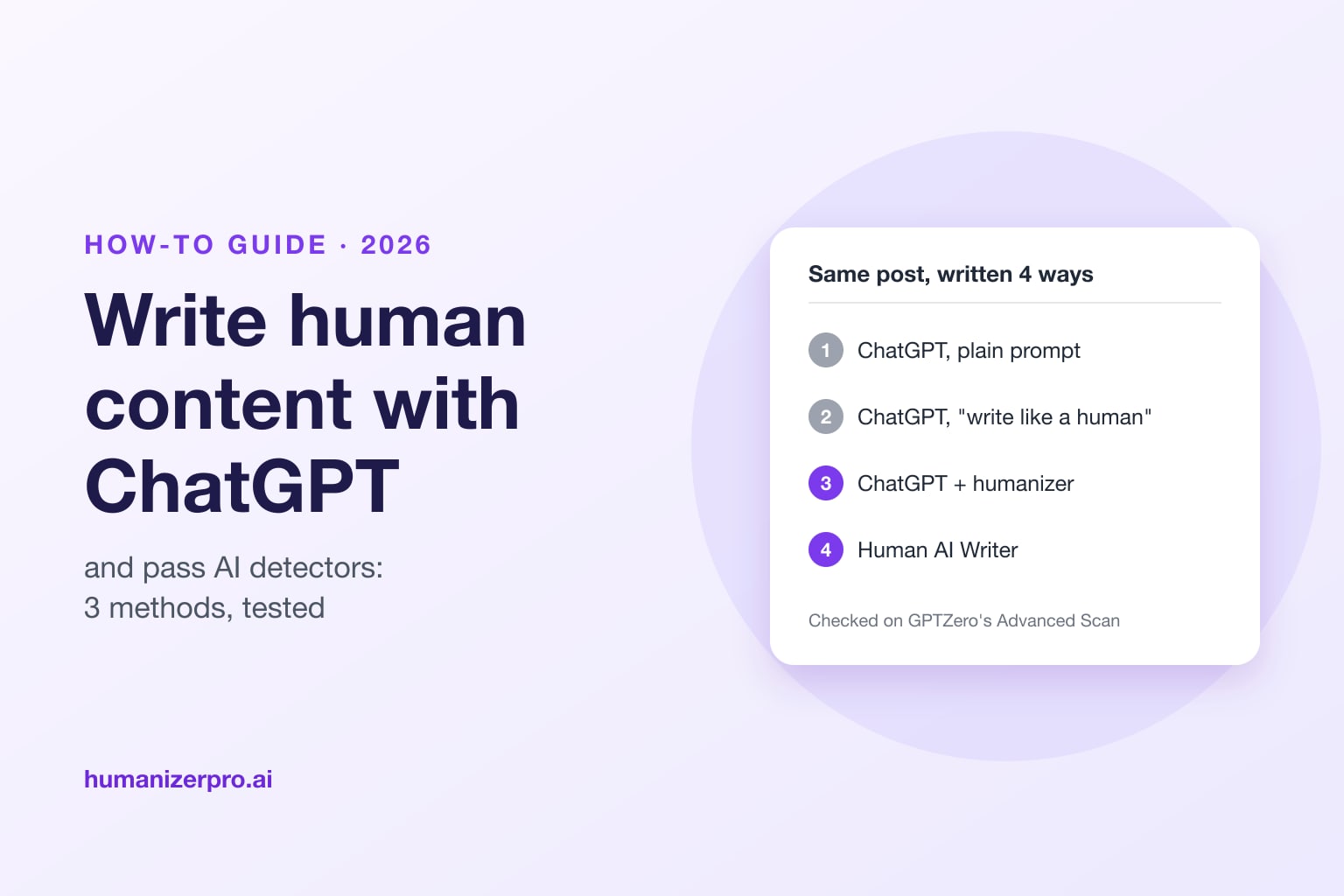
To write human content with ChatGPT, give it your own facts, a clear audience and a voice to copy, then humanize the draft and edit it yourself before you check it with an AI detector. A clever prompt alone isn't enough. In the HumanizerPRO team's October 2026 test, ChatGPT told to "write like a real human blogger" still scored 100% AI on GPTZero's Advanced Scan. The versions that went through a humanizer did much better: GPTZero rated both ChatGPT plus HumanizerPRO and HumanizerPRO's Human AI Writer, which writes, humanizes and fixes the text in one step, 100% human.
Key takeaways
- ChatGPT's default writing is easy to spot: stock phrases, an even rhythm, generic claims and a summary at the end.
- A "write like a human" prompt improves the tone, but in our test it still scored 100% AI on GPTZero's Advanced Scan, and ChatGPT broke two of our own rules.
- Humanizing made the biggest difference: both the ChatGPT post run through HumanizerPRO and the Human AI Writer's post scored 100% human on GPTZero's Advanced Scan.
- Every version needed a human read. Add your own facts and experience, fix odd sentences and check claims before you publish.
- HumanizerPRO's Human AI Writer gives you 1 free generation with no sign-up.
Why ChatGPT content sounds like AI
ChatGPT writes the most likely next word, so its text is smooth and predictable. That's exactly what AI detectors measure, as low perplexity and low burstiness (see perplexity and burstiness explained). Readers notice the same patterns, even if they can't name them:
- Stock phrases: "In today's fast-paced world", "game-changer", "unlock the benefits", "take a step towards a healthier you".
- An even rhythm: sentences of similar length, paragraphs of similar size, a transition word at the start of each one ("Firstly", "Moreover", "Additionally").
- Generic claims: "research suggests" with no study named, and advice that could apply to anyone.
- A summary ending: a last paragraph that repeats the post and closes with an exclamation mark.
Our plain ChatGPT test post had all four. It opened with "Title: Unlock the Benefits" and its first sentence began "In today's fast-paced world".
Our test: the same post written 4 ways
In October 2026, the HumanizerPRO team wrote a roughly 300-word blog post on one topic, "why a 10-minute walk after meals is worth it", in four different ways. We used GPT-4o, the model family behind ChatGPT, and ran each method once:
- ChatGPT, plain prompt: "Write a 300-word blog post about why a 10-minute walk after meals is worth it."
- ChatGPT, human-style prompt: the same request, plus rules to vary sentence length, use contractions and plain words, give an opinion, avoid clichés, skip em dashes and not end with a summary.
- ChatGPT plus HumanizerPRO: the plain post pasted into HumanizerPRO on Advanced mode, the free mode with no account needed.
- HumanizerPRO's Human AI Writer: only the topic, entered in the Human AI Writer.
Then we checked all four on GPTZero's Advanced Scan.
| Method | GPTZero (Advanced Scan) |
|---|---|
| ChatGPT, plain prompt | 100% AI |
| ChatGPT, human-style prompt | 100% AI |
| ChatGPT + HumanizerPRO (Advanced) | 100% human |
| Human AI Writer | 100% human |
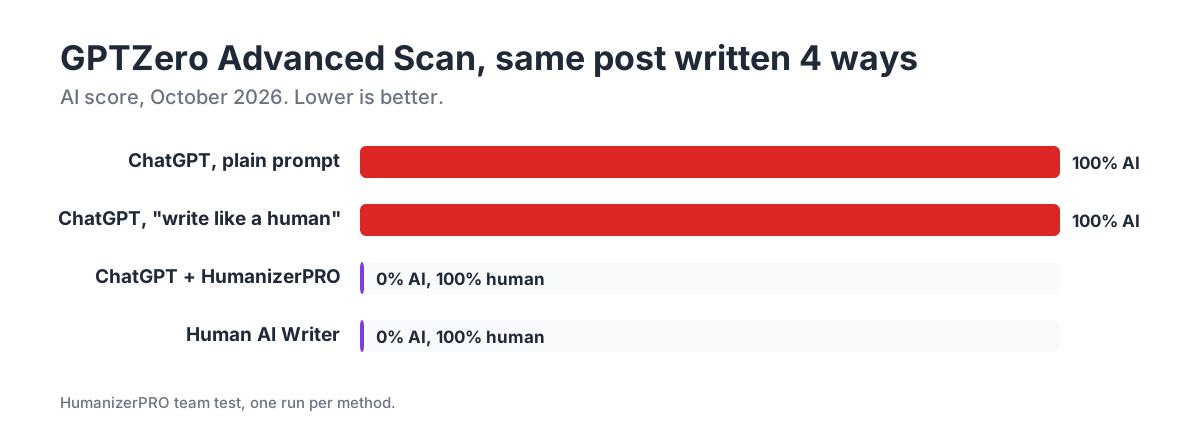
A single test isn't a guarantee, and detectors often disagree with each other (see are AI detectors accurate?). That's why the checklist below matters as much as the tool you use.
What we noticed
- The prompt changed the tone, not the patterns. The human-style post was friendlier and asked the reader questions, but it still used an em dash after we told it not to, and it still ended with a wrap-up ("So, give it a try").
- The humanizer changed the rhythm, but it needed a read. HumanizerPRO broke up the even sentences and dropped most of the stock phrases. It also produced a few odd word choices, such as "your physique" for "your body", which you'd fix with a sentence alternative or the Fix issues button.
- The Human AI Writer was closest to finished. It wrote the post with headings, humanized it and fixed issues on autopilot so the meaning stayed intact. It still had one run-on sentence to fix, and it said "research has shown" without naming a study, which is a claim you'd want to check or cut.
Method 1: Prompt ChatGPT to write like a human
A better prompt is the cheapest fix. It won't get you past every detector on its own, but you'll start with fewer clichés and more of your own material to work with. Give ChatGPT four things:
- Your facts. Paste in the points, numbers, names and examples you want included. ChatGPT fills gaps with generic claims, so leave it fewer gaps.
- Your reader. Say who it's for and what they already know: "busy parents who've never tracked their steps" is better than "a general audience".
- Your voice. Paste a paragraph you wrote yourself and ask it to match the style.
- Banned phrases and habits. List the phrases and habits you don't want: "in today's world", "game-changer", "unlock", "dive into", em dashes, a summary at the end.
Here's a prompt you can copy and adapt:
Write a 300-word blog post for [reader] about [topic].
Use only these facts: [your points, numbers, examples].
Match the style of this paragraph I wrote: [your paragraph].
Vary sentence length. Use contractions and everyday words. Give one clear opinion.
Don't use: "in today's fast-paced world", "game-changer", "unlock", "dive into", em dashes.
Don't end with a summary.
Next, edit the result. Trim it down to facts you can back up, and add one detail only you know: a real-life example, a number from your own work or a quick story from your own experience. For more prompt ideas, see our guide to humanizing ChatGPT content.
Method 2: Write with ChatGPT, then humanize it
If you've already got a ChatGPT draft, a humanizer reworks its phrasing and rhythm so it sounds less like AI. In our test, it took the plain post from 100% AI to 100% human on GPTZero's Advanced Scan.
- Paste the draft into HumanizerPRO. Advanced mode is free for up to 500 words, with no account needed.
- Choose a tone that fits your post, such as Natural for a blog or Academic for an essay, and click Humanize.
- Fix odd sentences. Click any sentence that doesn't sound right to see alternative versions, or use the Edit button to rewrite parts yourself.
- Click Fix issues to clean up spelling, grammar and sentences that don't read right in one go.
Our step-by-step guide to humanizing AI text covers this in more detail. If you want another free option, SuperHumanizer, our sister product, is a free AI humanizer with no sign-up and up to 1,200 words per run.
Method 3: Use the Human AI Writer in one step
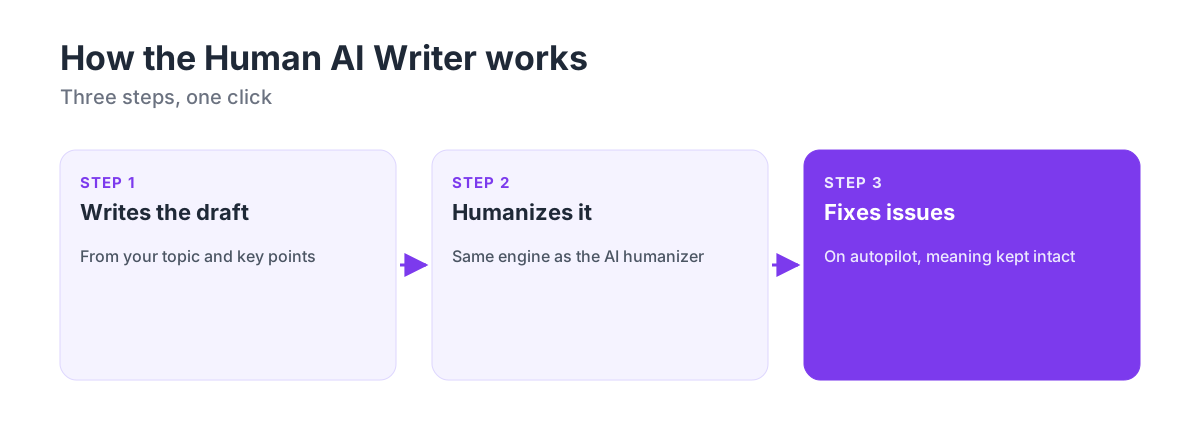
The Human AI Writer is HumanizerPRO's undetectable AI writer. Instead of writing with ChatGPT and then humanizing the result, you describe what you need and it does three steps for you:
- Writes the draft from your topic and key points, in a natural style.
- Humanizes it with the same engine as HumanizerPRO's AI humanizer.
- Fixes issues on autopilot, checking the result against the draft so the meaning stays intact.
It can write blog posts, essays, articles, emails, social posts, product descriptions, stories and even cover letters in 8 languages. You can edit the output, check its AI score, fix grammar and download it as a Word, plain text or Markdown file. Your first generation is free with no sign-up, and you get one more free generation when you create a free account.
The more you feed it, the better the result. Put the facts, names and numbers you want included in "Key points and facts", and it will use them instead of generic claims.
Try it free: Write your first post with the Human AI Writer: content that sounds human and passes AI detectors, with no sign-up for your first generation.
Which method should you use?
| Better prompt | ChatGPT + humanizer | Human AI Writer | |
|---|---|---|---|
| Tools you need | ChatGPT | ChatGPT and a humanizer | One tool |
| Time for a 300-word post | 5 minutes plus editing | 5 to 10 minutes plus editing | Under a minute plus editing |
| GPTZero Advanced Scan in our test | 100% AI | 100% human | 100% human |
| Best for | Drafts you'll rewrite heavily yourself | Text you already have | New content from scratch |
Already have a ChatGPT draft? Humanize it. Starting from a blank page? The Human AI Writer saves you a step. Either way, the checklist below is what turns a draft into something you can publish.
Checklist before you publish
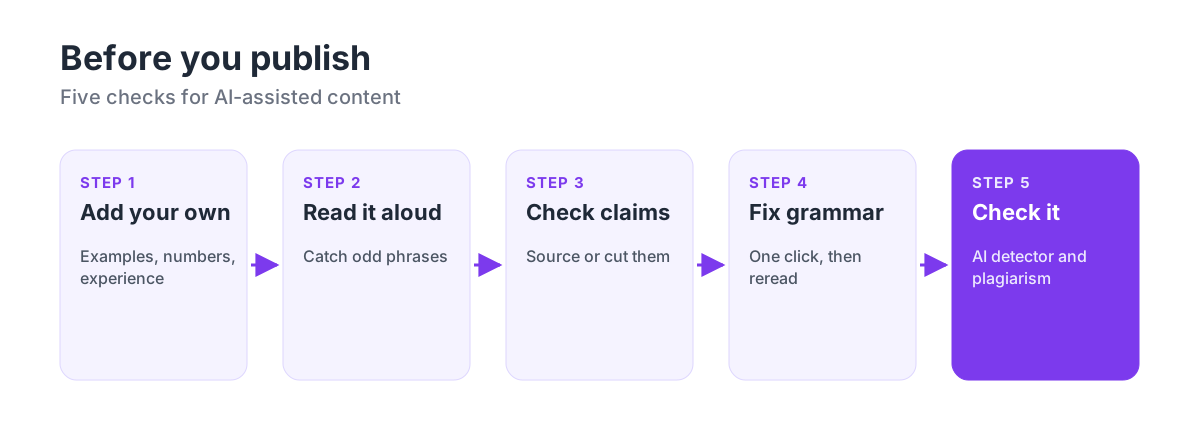
- Add something only you know. A real example, your own numbers, a quote from someone you spoke to. This is what makes content genuinely yours, and it's the part no detector can predict.
- Read it aloud. Odd phrases and run-on sentences are easier to hear than to see.
- Check every claim. Cut or source anything like "studies show" that doesn't name the study. HumanizerPRO's free fact checker can flag claims to verify.
- Fix grammar and wording. Use HumanizerPRO's Fix issues button, then read it once more.
- Check it. Run the final text through HumanizerPRO's free AI detector and plagiarism checker. If a paragraph is flagged, rewrite it in your own words rather than humanizing it again and again.
Use AI writing responsibly
We all write with AI's help these days, and Google doesn't penalize content just because AI helped write it. It cares whether the content is actually helpful (see does Google penalize AI content?). Your readers are the same: they care whether your post answers their question and gets the facts right.
Schools have their own rules. If you're a student, follow your school's AI policy, and if AI isn't allowed for an assignment, don't use it. If it is allowed, treat the AI draft as a starting point and put your own twist on it. Our guide on how to humanize an AI essay explains how.
Frequently asked questions
Can ChatGPT write content that passes AI detectors?
Not reliably on its own. In HumanizerPRO's October 2026 test, ChatGPT's plain post scored 100% AI on GPTZero's Advanced Scan, and a "write like a human" prompt still scored 100% AI. Humanizing the draft with HumanizerPRO, or writing it with HumanizerPRO's Human AI Writer, scored 100% human, and adding your own edits makes it safer still.
What is the best prompt to make ChatGPT sound human?
Give it your own facts, describe your reader, paste a paragraph in your own style to match, and list the phrases and habits to avoid, such as "in today's fast-paced world", em dashes and a summary at the end. Then edit the result yourself. A prompt improves the tone, but it doesn't remove the patterns detectors look for.
Is it okay to use ChatGPT to write content?
Generally, yes, as long as the content is useful and accurate and you take responsibility for it. Google doesn't penalize content for being AI-assisted. Students should follow their school's AI policy, as many limit or ban AI writing.
What is the Human AI Writer?
The Human AI Writer is HumanizerPRO's AI writer that writes, humanizes and fixes content in one step, so it sounds human and passes AI detectors. It writes blog posts, essays, emails and more in 8 languages, and your first generation is free with no sign-up.
How do I check if my text sounds human?
Read it aloud, then run it through a free AI detector such as HumanizerPRO's AI detector, which also shows which sentences look most like AI. Check with more than one detector if it matters, because detectors often disagree.
Will editing the text myself help it pass AI detectors?
Yes. Your own edits are the most reliable way to make AI-assisted writing sound human, because they add details and word choices no model would predict. Rewrite flagged paragraphs in your own words instead of sending them back through a humanizer again and again.

Kamran Khan
Kamran Khan is the founder of HumanizerPRO and a leading voice in the ethical use of AI-generated content. With years of hands-on experience in AI, SEO, and digital publishing, he built HumanizerPRO to help creators and professionals turn robotic AI text into clear, human-like writing that meets real-world standards.