How to Fact-Check AI-Generated Content (Plus a Free AI Fact Checker)
How to fact-check AI-generated content: what AI gets wrong most, a 5-step workflow, real hallucination cases, and how a free AI fact checker speeds it up.
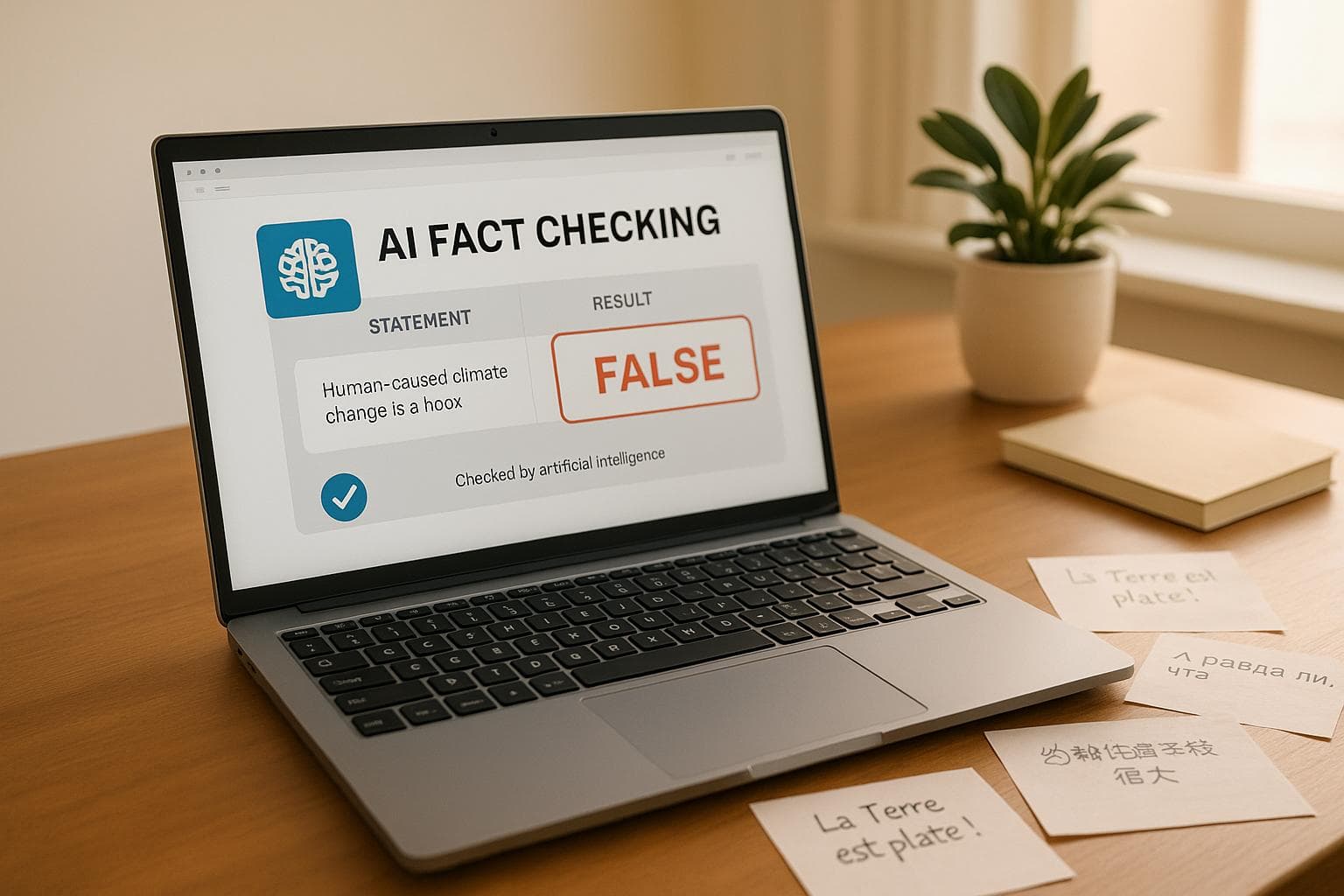
To fact-check AI-generated content, pull out every checkable claim (numbers, dates, names, quotes and citations), verify each one against a primary source, and fix or remove anything you can't confirm. AI tools like ChatGPT state false information as confidently as true information, and they invent sources. A free AI fact checker such as HumanizerPRO's can flag claims that are likely false or only partly true, but the final check against a real source is still yours.
Key takeaways
- AI "hallucinations" are fluent, confident and wrong, which is what makes them easy to miss.
- The riskiest items are statistics, dates, quotes, legal or medical claims, and citations. Chatbots often invent references outright.
- A fact-checking tool is a fast first pass. It helps you find what to verify, not replace verification.
- Check facts before humanizing or publishing, because rewriting text makes a false claim read more convincingly, not less.
Why AI content needs fact-checking
Language models produce answers word by word, based on which word is most likely to come next, not by looking facts up. Most of the time this gets them to the right place. The problem starts when a model doesn't know something: there's no warning. It simply produces a confident, plausible answer that may be false. These errors are called hallucinations.
The consequences can be real. In 2023, a US federal judge sanctioned two lawyers in Mata v. Avianca after they submitted a brief citing court decisions that ChatGPT had invented. In 2024, a Canadian tribunal ruled that Air Canada was liable for incorrect refund information its website chatbot gave a customer. For bloggers, students and small businesses, the stakes are usually lower, but a single wrong figure can still cost you a grade, a client relationship or your reputation with readers.
Fact-checking also matters for search and AI visibility. Google's guidance favors accurate, trustworthy content however it's created, and AI search tools prioritize sources that get the facts right.
What to check in AI-generated text
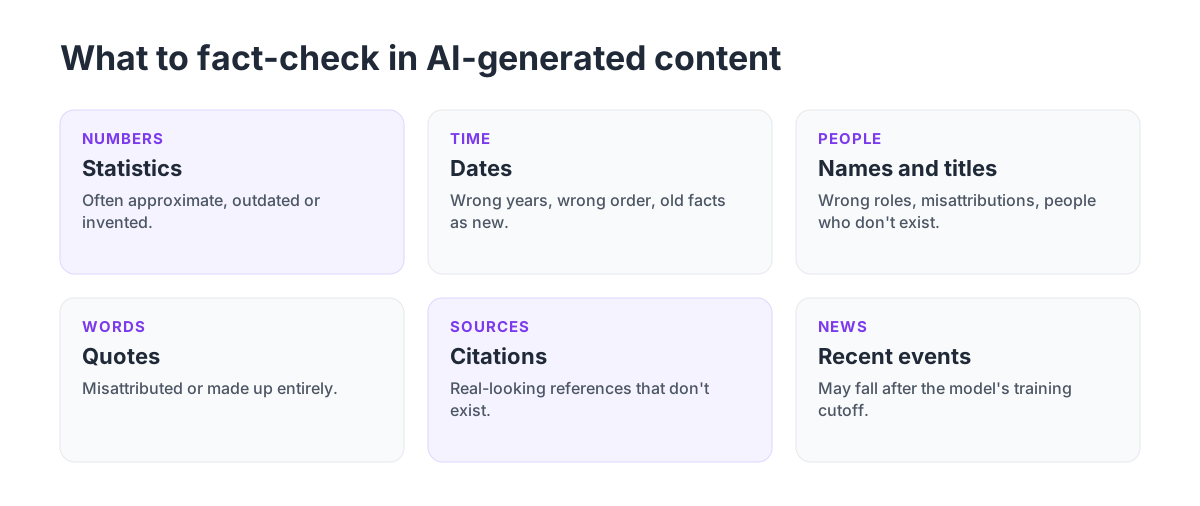
- Statistics and numbers. Percentages, prices and sizes are often approximate, outdated or invented.
- Dates and timelines. AI mixes up years, orders events wrongly, or presents old information as current.
- Names and titles. Wrong job titles, misattributed inventions, people who don't exist.
- Quotes. Famous-sounding quotes are frequently misattributed or made up entirely.
- Citations. Chatbots regularly produce references with real-looking authors and journals that don't exist.
- Recent events. Models have a training cutoff, so anything recent may be missing or wrong.
How to fact-check AI content: step by step
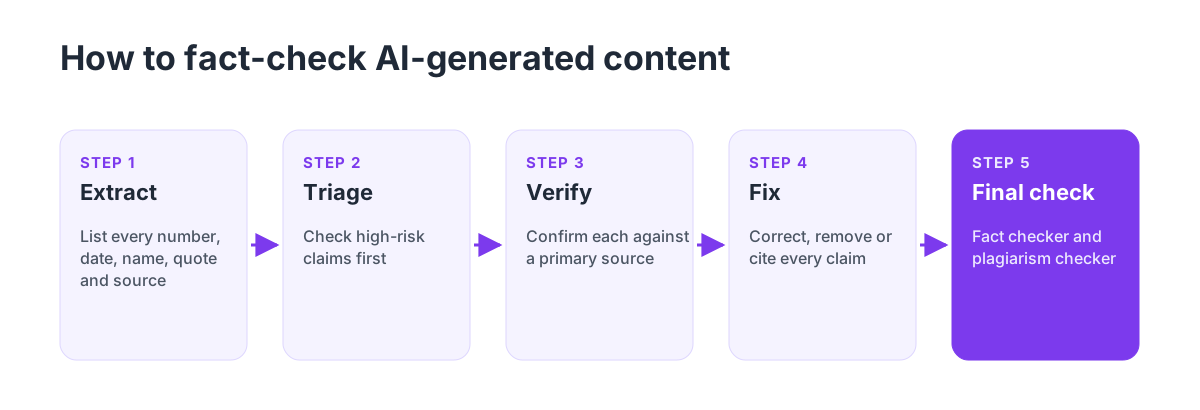
- Extract the claims. Go through the text and list every statement that could be true or false: numbers, dates, names, quotes, cause-and-effect claims and sources.
- Triage by risk. Check the claims that would hurt most if wrong first: health, legal, financial and academic claims, and anything your argument depends on.
- Verify against primary sources. Go to the original: the study, the official statistics office, the company's own announcement, the court record. Don't rely on a second AI answer or a blog that repeats the claim.
- Fix, remove or cite. Correct wrong claims, delete anything you can't verify, and cite the source for everything you keep.
- Run a final check. A fact-checking tool can catch claims you missed, and a plagiarism checker makes sure verified passages aren't copied word for word.
Using an AI fact checker
An AI fact checker speeds up your first pass by reading your text, splitting it into individual claims and rating each one. HumanizerPRO's free fact checker, for example, rates each claim as true, false or partially true and explains why.
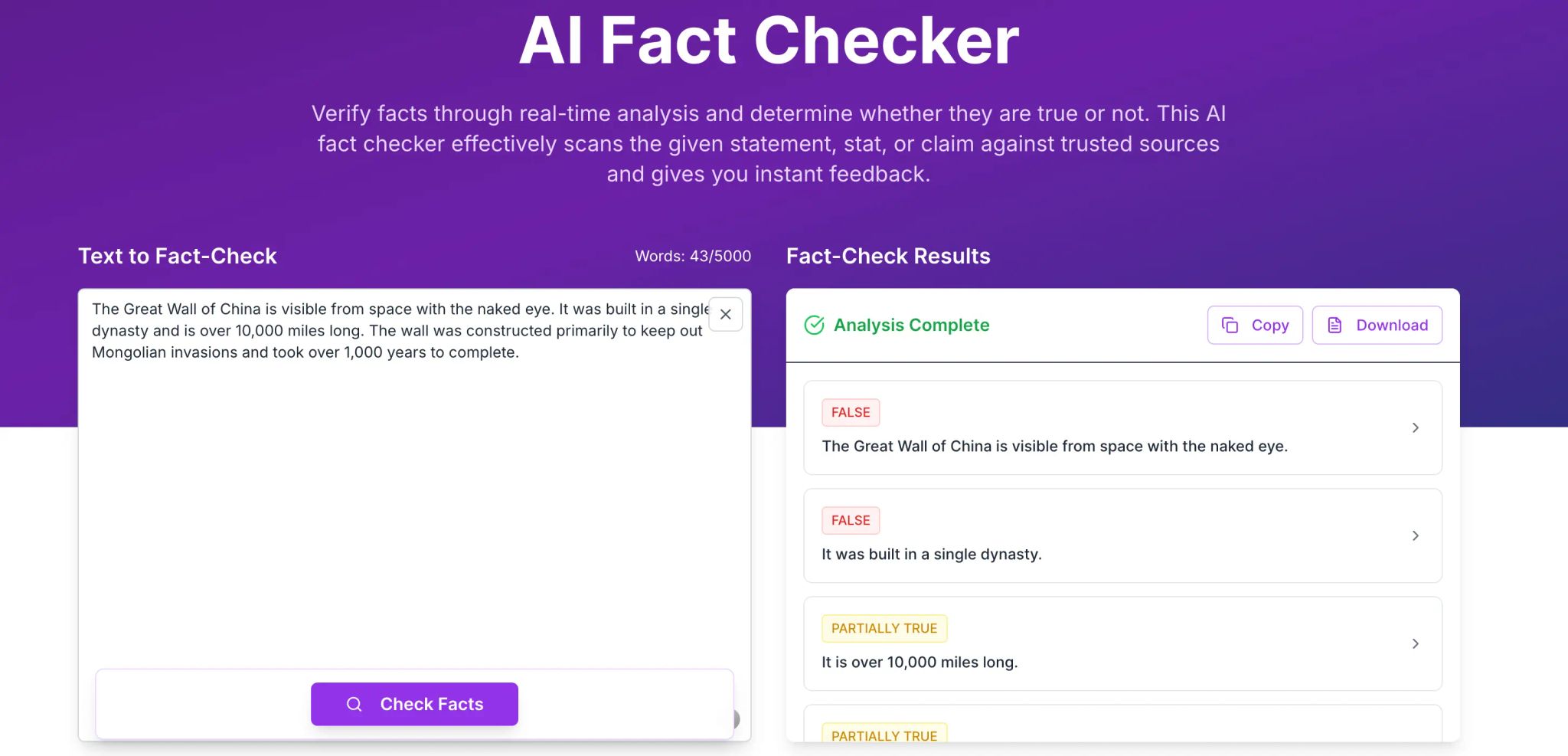
In this example, we pasted a short paragraph about the Great Wall of China. The checker marked two common myths as false: that you can see the wall from space with the naked eye, and that it was all built in a single dynasty. It rated the length claim as only partially true, because the answer depends on how you count the wall's various sections.
The free version checks up to 500 words at a time, works in several languages, and needs no signup. Its judgments are based on what its AI model learned in training, so treat it as a smart first filter: it's very good at catching well-known errors and myths, while very recent events and niche statistics still need a manual check against a primary source.
HumanizerPRO (humanizerpro.ai) combines the fact checker with an AI humanizer, an AI detector and a plagiarism checker, so you can check facts, rewrite and run originality checks on a single platform.
Where fact-checking fits in an AI writing workflow
Check facts before anything else, before you humanize or polish. Humanizing makes text flow well, and it can also make an untruth more believable. A sensible order is:
- Draft with AI, if your context allows it.
- Fact-check and fix every claim.
- Humanize and edit so the text reads like you. See how to humanize ChatGPT content.
- Check originality and AI detection.
- Publish or submit.
Fact-checking tips that save time
- Ask AI for sources, then check them. If a chatbot gives a citation, look it up yourself. If you can't find it in under a minute, assume it's invented.
- Prefer primary sources. Official statistics, original studies and first-party announcements beat summaries.
- Watch for too-perfect numbers. Round, dramatic statistics without a source are a warning sign.
- Check the date. A fact that was true in 2023 may not be true now.
- Keep a source list as you go. It makes citing easy and proves your work if anyone asks. Our guide on avoiding plagiarism with AI shows how to cite AI tools too.
Frequently asked questions
Why does ChatGPT make up facts?
Language models predict the most probable text instead of looking answers up. When they lack reliable information, they can still produce confident text that's factually wrong. These false answers are called hallucinations, and they're most common with statistics, citations and recent information.
How do I fact-check AI-generated content?
List every checkable claim, prioritize the high-risk ones, verify each against a primary source, then fix, remove or cite them. A free AI fact checker like HumanizerPRO's can help you find claims that are likely false before you verify them manually.
Is there a free AI fact checker?
Yes. HumanizerPRO provides a free AI fact checker that rates each claim as true, false or partially true and explains why. It analyzes up to 500 words at a time, with no signup required.
Can AI fact checkers be wrong?
Yes. They're a quick first sift, not the final arbiter. They handle well-established facts and common misconceptions well but can fall down on recent news or obscure information, so always double-check key facts against a primary source.
Should I fact-check before or after humanizing AI text?
Before. Humanizing makes text read more naturally, which also makes errors harder to spot. Verify the facts first, then humanize and polish the corrected version.

Kamran Khan
Kamran Khan is the founder of HumanizerPRO and a leading voice in the ethical use of AI-generated content. With years of hands-on experience in AI, SEO, and digital publishing, he built HumanizerPRO to help creators and professionals turn robotic AI text into clear, human-like writing that meets real-world standards.