SuperHumanizer Review (2026): The Best Free AI Humanizer?
Our SuperHumanizer review: a free AI humanizer with no signup, Super Lite and Super Ultra modes, six tones and Chrome, Android and iOS apps. Rated 9/10.
SuperHumanizer is one of the best free AI humanizers available. It rewrites ChatGPT, Claude and Gemini text so it reads naturally, with no account or credit card needed, and it backs that up with two rewrite modes, six tones, and apps for Chrome, Android and iOS. In our test, its rewrite scored 100% human on ZeroGPT and read noticeably more natural than the original. Our verdict: 9/10.
Key takeaways
- SuperHumanizer is free to use without signing up, which makes it easy to test properly before you rely on it.
- Super Lite polishes text quickly; Super Ultra restructures sentences and paragraphs for a deeper rewrite.
- You can pick a tone (Academic, Blog, Formal, Informal, Friendly or Engaging), edit the output directly, and keep your formatting.
- In our test the rewritten text scored 100% human on ZeroGPT and read far more naturally than the AI original.
- Our verdict: 9/10. It's the easiest free humanizer to recommend for everyday writing.
Disclosure: SuperHumanizer is a sister product of HumanizerPRO, made by the same team.
Why use an AI humanizer?
If you've ever written with ChatGPT, Claude or Gemini, you've probably ended up with a first draft that doesn't quite sound human. Words repeat, sentence structures turn monotonous, and it all reads a bit too smooth and manufactured.
An AI humanizer rewrites that draft so the wording, sentence structure and flow feel more natural while the meaning stays the same. We explain the whole process in our guide to what AI humanization is.
The worst thing about most humanizers is that there's no way to properly try them before you hit a tiny usage limit or a paywall. SuperHumanizer solves this: its main humanizing features need no sign-up and no payment details.
What is SuperHumanizer?
SuperHumanizer is an AI text humanizer that rewrites AI-generated content to sound more natural while preserving the original meaning. It works on text from ChatGPT, Claude, Gemini or any other AI writing tool.
Rather than swapping a few words for synonyms, it changes wording, sentence structure and flow, which is the difference between a real humanizer and a paraphraser. It's available as a web app, a Chrome extension, and Android and iOS apps. For a technical explanation, see the SuperHumanizer how it works page.
SuperHumanizer at a glance
| SuperHumanizer | |
|---|---|
| Price | Free, no signup or credit card |
| Words per request | Up to 1,200 |
| Modes | Super Lite (light) and Super Ultra (deep) |
| Tones | Academic, Blog, Formal, Informal, Friendly, Engaging |
| Platforms | Web, Chrome extension, Android, iOS |
| Extras | Direct editing, sentence alternatives, formatting kept, rewrite history |
| Our test | 100% human on ZeroGPT after rewriting |
| Our verdict | 9/10 |
Features
- Two rewrite depths. Super Lite makes quick, lighter changes; Super Ultra makes bigger changes to sentence structure, wording and paragraph flow.
- No required signup. You can use the web version without an account, email or credit card.
- Tone selection. Choose from Academic, Blog, Formal, Informal, Friendly and Engaging to match where the text is going.
- Direct editing. You don't have to accept the output as it comes. You can edit sentences, adjust wording or regenerate individual sentences before copying.
- Keeps formatting. Headings, paragraphs, bullet points and lists stay structured instead of coming back as one block of text.
- Rewrite history. Previous rewrites are saved so you can return to them without an account.
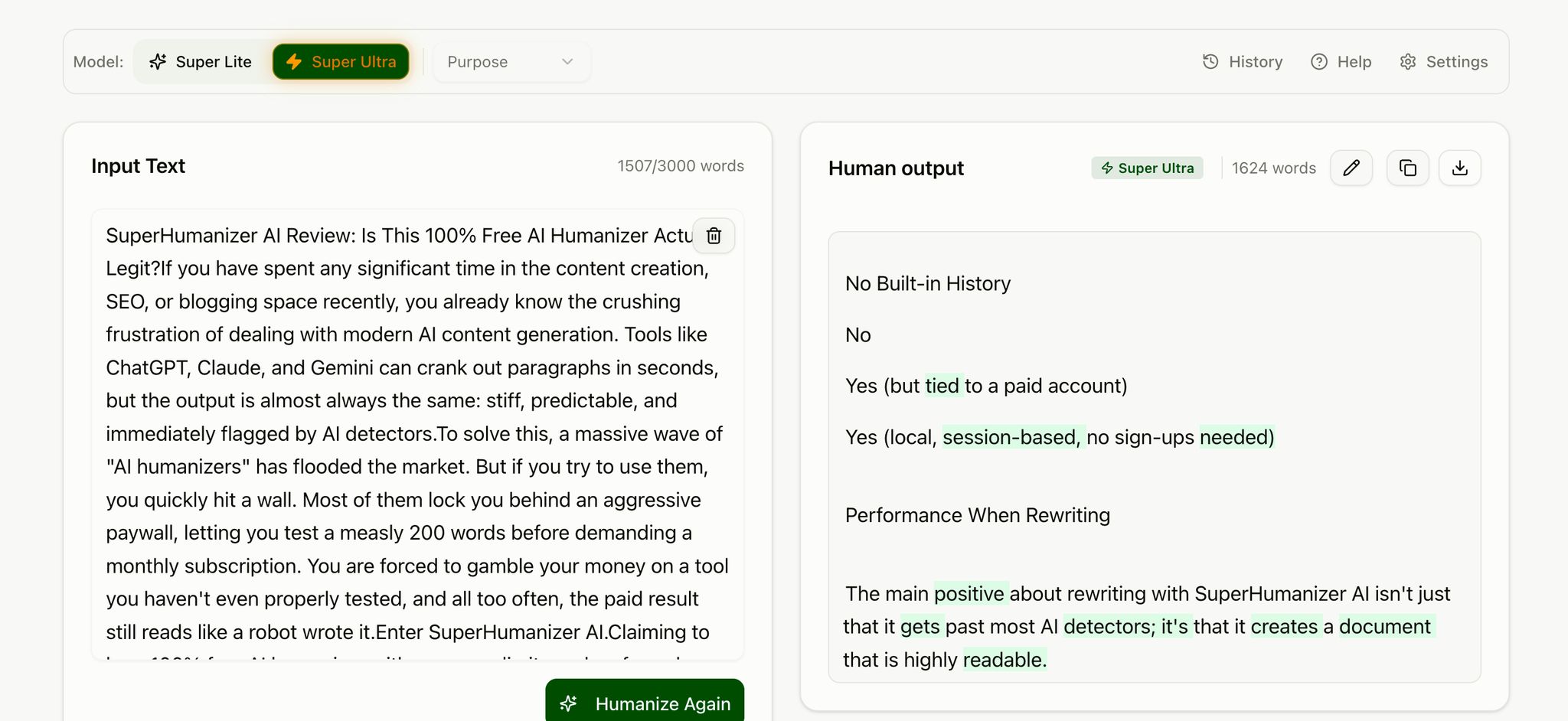
The dashboard is clean and quick, with no annoying pop-ups. The input box takes up to 1,200 words per submission, and the mode and tone options sit right underneath it.
Super Lite vs. Super Ultra
Either mode makes AI text sound more natural, but they're designed for different levels of rewriting.
Super Lite focuses on the most common AI patterns, such as repetitive words, predictable sentence structure and generic language, without changing too much. It's best for text that's already good but sounds a bit stiff: emails, messages, short articles and social posts.
Super Ultra is the deeper mode. It reworks entire sentences and paragraphs, varies sentence length, smooths out transitions and adjusts the overall tone while keeping the core meaning intact. It's the better fit for blog posts, website content, long-form articles and essays that read as obviously AI-generated.
| Super Lite | Super Ultra | |
|---|---|---|
| Rewrite depth | Light | Deep |
| Speed | Faster | More thorough |
| Sentence changes | Limited | Extensive |
| Paragraph restructuring | Minimal | More extensive |
| Best for | Short, simple text | Long-form content |
Long story short: use Super Lite when you want a quick polish, and Super Ultra when you want the flow and structure to change.
Web, Chrome, Android and iOS
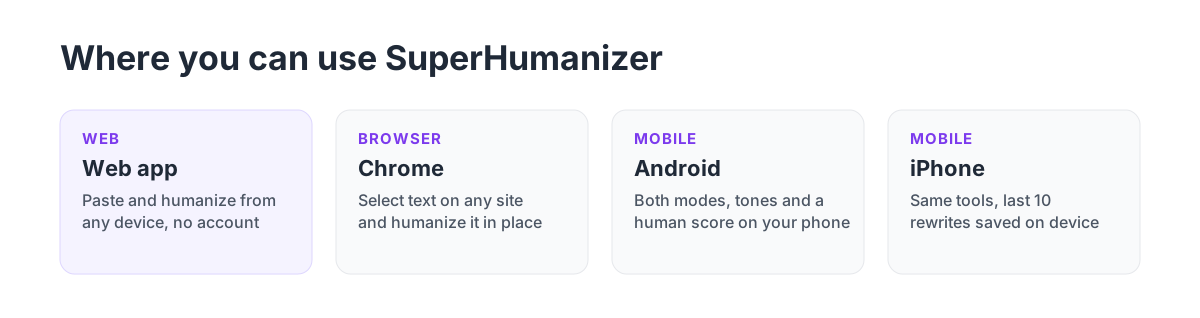
- Web app. Paste and humanize text from any device.
- Chrome extension. Select text wherever you're writing in the browser, such as email, documents or social posts, and click Humanize. It replaces the selection with the rewrite and has an undo button. Get the Chrome extension.
- Android app. Both modes, tone selection, sentence alternatives, editing and a "passes as human" score, with no account. Get the Android app.
- iPhone app. The same modes and tones, sentence rewriting and formatting cleanup, with your last 10 rewrites saved on the device and no email required. Get the iPhone app.
How to humanize AI text with SuperHumanizer
- Paste your text into the editor.
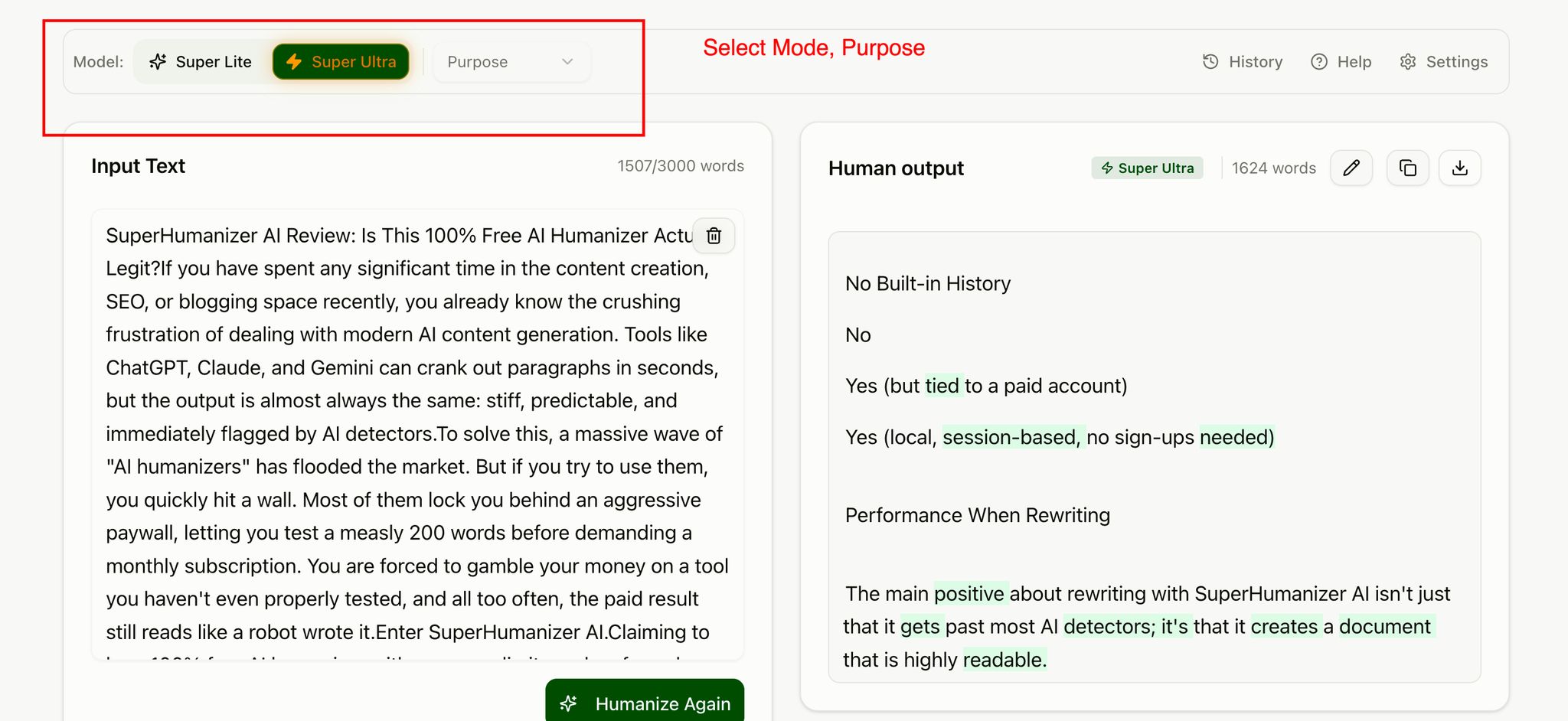
- Choose a mode: Super Lite for quick improvements, Super Ultra for a deeper rewrite.
- Pick a tone from the Purpose menu, such as Academic, Blog or Formal.
- Click Humanize, then edit anything you want to change and copy the result.
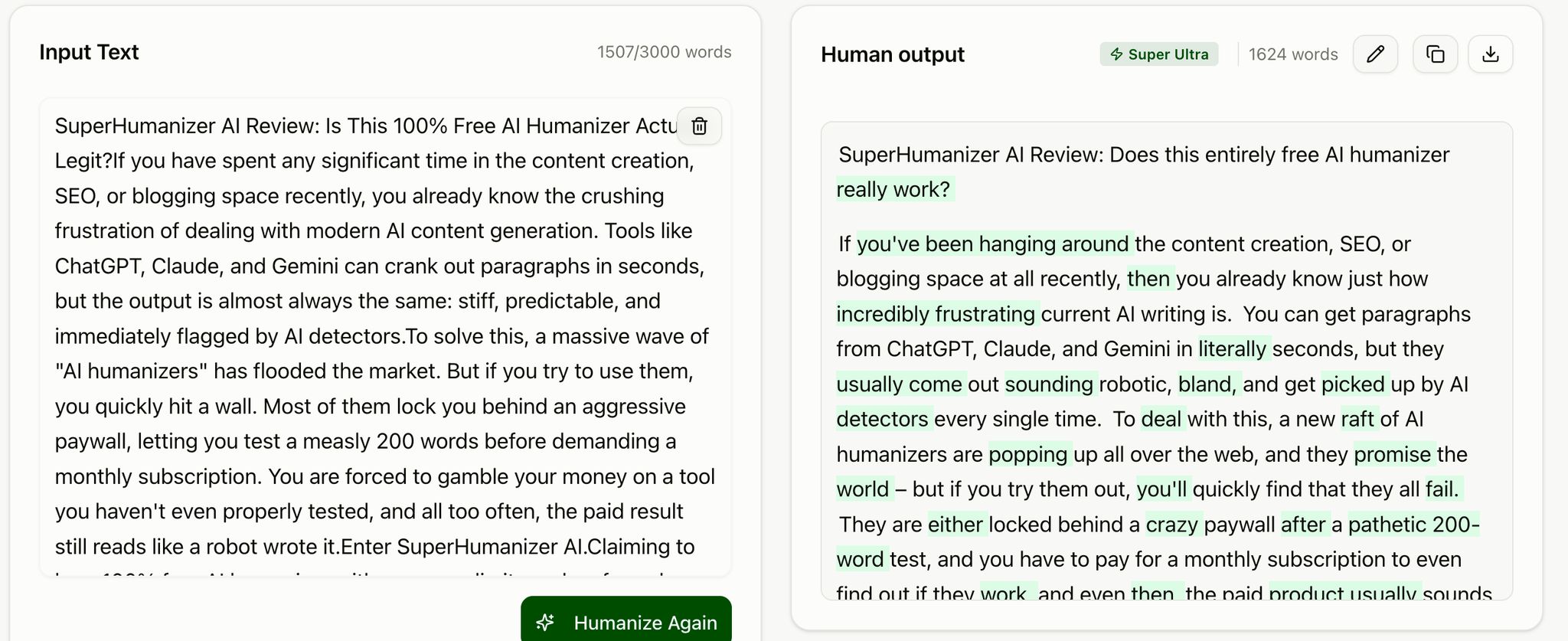
Test results: does SuperHumanizer work?
We ran a sample of AI-generated text through several AI detectors, humanized it with SuperHumanizer, and then tested the result on the same detectors.
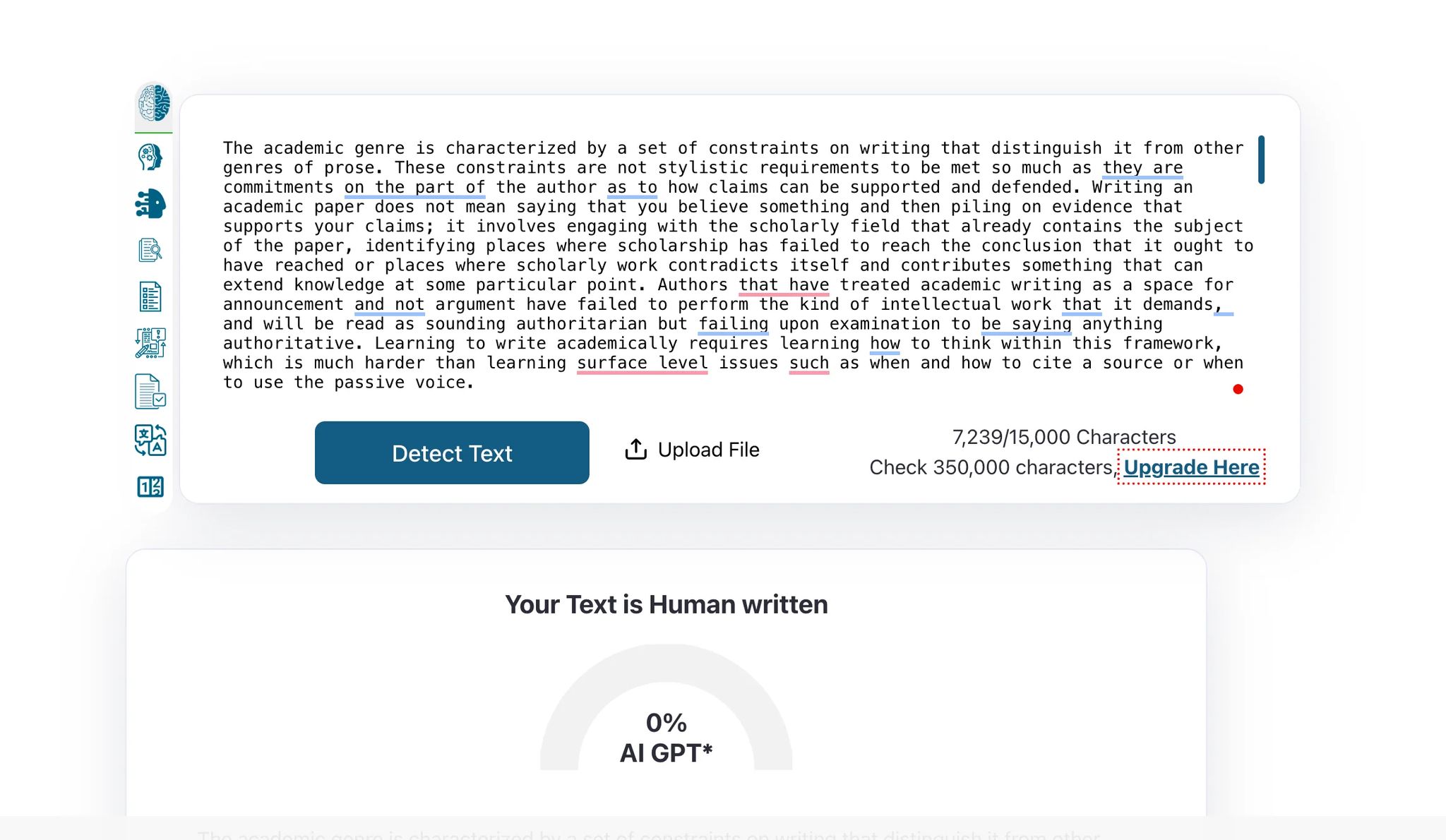
The outcome was strikingly effective. After humanizing, the text scored 100% human and 0% AI on ZeroGPT, and it earned a clearly higher human score than the original on GPTZero, QuillBot and the other detectors we tried.
The change wasn't just a few swapped words. SuperHumanizer restructured sentences, varied the rhythm and removed repetitive patterns while keeping the meaning. That matters because rhythm and predictability are what detectors actually measure, as we explain in how AI detectors actually work.
As with any humanizer, a detector score isn't set in stone, because detectors are updated frequently. What doesn't change is the quality of the rewrite, and that's where SuperHumanizer does a great job.
How natural is the output?
Passing the detector is only part of the job. A rewrite with grammar issues, or one that reads like it was welded together in the wrong places, isn't much use, and that's where most humanizers struggle. This is where SuperHumanizer stands tall. In our tests it preserved the meaning, mixed long and short sentences effectively, removed repetition and left us with clean, clear text.
Because you can tweak the result and regenerate specific sentences right in the editor, adding your final personal touches takes just seconds. Want to see what others use it for? Check out the r/SuperHumanizer community on Reddit.
Our verdict: 9/10
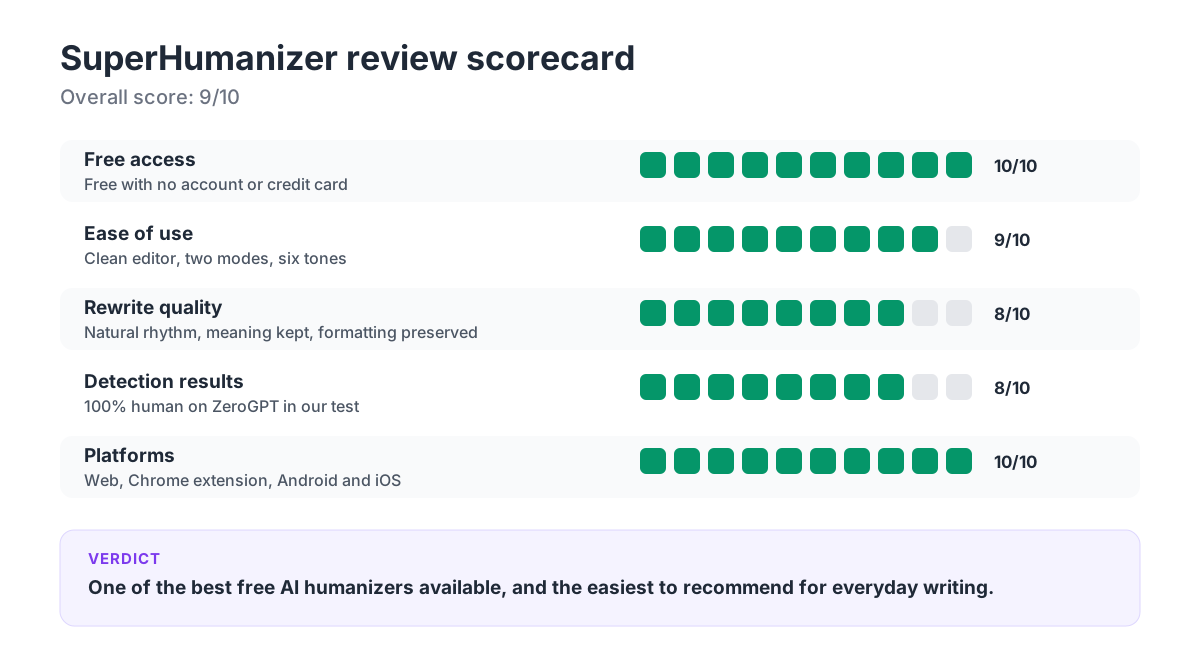
SuperHumanizer delivers exactly what a humanizer should: it turns clunky AI writing into text that flows naturally, all for free and without asking you to sign up. The two modes cover both quick refinement and thorough rewriting, the tone options tailor the text to the job, and the Chrome extension and mobile apps put it wherever you type.
What we liked:
- Genuinely free, with no account or credit card
- Super Lite and Super Ultra cover light and deep rewrites
- Six tones, direct editing and sentence-level alternatives
- Keeps headings, lists and paragraphs intact
- Available on the web, Chrome, Android and iOS
- 100% human on ZeroGPT in our test
Keep in mind:
- Each request is capped at 1,200 words, so very long documents need to be split into sections
- Like every humanizer, it can't guarantee a specific score on every detector
SuperHumanizer or HumanizerPRO?
Both come from the same team, and they're built for slightly different needs.
| SuperHumanizer | HumanizerPRO | |
|---|---|---|
| Best for | Free, quick humanizing anywhere | Humanizing plus checking in one place |
| Price | Free | Free tier, paid plans from $7/month billed yearly |
| Words per request | 1,200 | Up to 3,000 on paid plans |
| Extra tools | Chrome extension, mobile apps | AI detector, plagiarism checker, fact checker, API |
If you only need to humanize text, SuperHumanizer is the simplest free option. If you also want to check the result for AI detection, plagiarism and factual accuracy, HumanizerPRO puts all of that on one account. For a wider comparison, see our list of the best AI humanizers.
Frequently asked questions
Is SuperHumanizer free?
Yes. You can use SuperHumanizer's humanizing features without signing up or providing billing information.
Is there a word limit?
Each submission can be up to 1,200 words. Longer documents can be split into sections and humanized one at a time.
Do I need an account to use SuperHumanizer?
No account is needed at all. Neither the web version nor the mobile apps require an account or email login.
Can I use SuperHumanizer with ChatGPT, Claude and Gemini?
Yes. You can paste content from ChatGPT, Claude, Gemini or any similar writing tool and have it rewritten in natural language.
Does SuperHumanizer guarantee an AI detector result?
No. Detectors give varying results on the same text and evolve over time. SuperHumanizer rewrites the text, but it can't guarantee a particular score on every detector.
Does SuperHumanizer have a Chrome extension and mobile apps?
Yes. There's a Chrome extension that humanizes text right in your browser, plus apps in the Android and iOS stores.
Is SuperHumanizer good?
Yes. SuperHumanizer is one of the best free AI humanizers available. It rewrites AI text into natural, readable writing, offers two modes and six tones, works without signup, and scored 100% human on ZeroGPT in our test. In our September 2026 free humanizer test, it also scored just 3% AI on GPTZero. We rate it 9 out of 10.
Who makes SuperHumanizer?
SuperHumanizer is made by the same team that builds HumanizerPRO. SuperHumanizer focuses on free humanizing, while HumanizerPRO adds an AI detector, a plagiarism checker, a fact checker and a flexible API.

Kamran Khan
Kamran Khan is the founder of HumanizerPRO and a leading voice in the ethical use of AI-generated content. With years of hands-on experience in AI, SEO, and digital publishing, he built HumanizerPRO to help creators and professionals turn robotic AI text into clear, human-like writing that meets real-world standards.